Case Study · 05 · Widget
LiveClocko
A world clock built while learning React.
I used a clock while studying, especially when learning React.js, so I decided to build a meaningful project around it. Clocko brings together props, components, hooks and conditional rendering, with a special touch of Tailwind CSS.
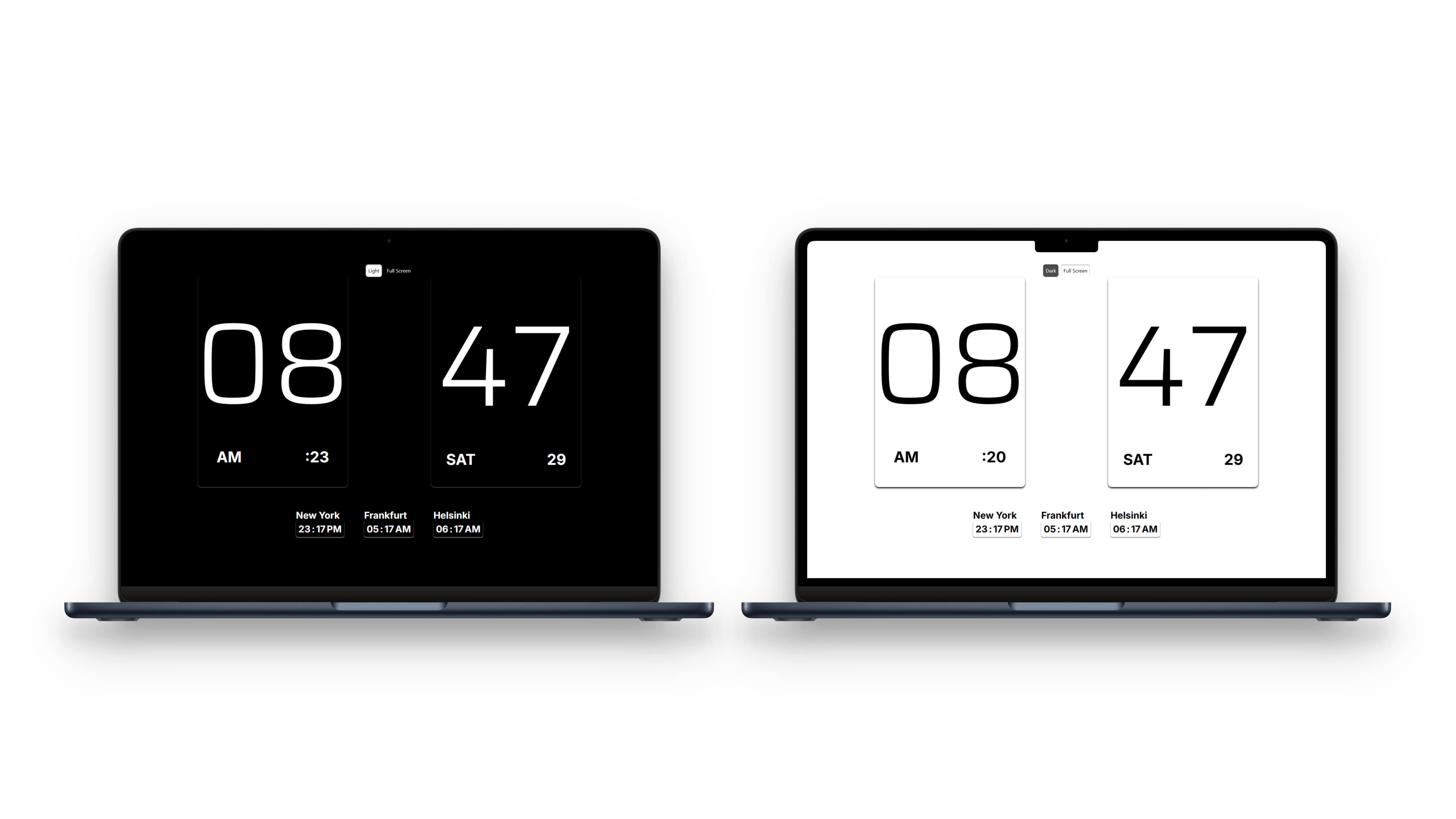
Big, bold time
Flip-style cards that capture attention at a glance.
Cities & time zones
Local time for any city based on its UTC offset.
Themes & full screen
Dark or light mode, and a full-screen screensaver view.
Deep Dive
How It Works & What I Learned
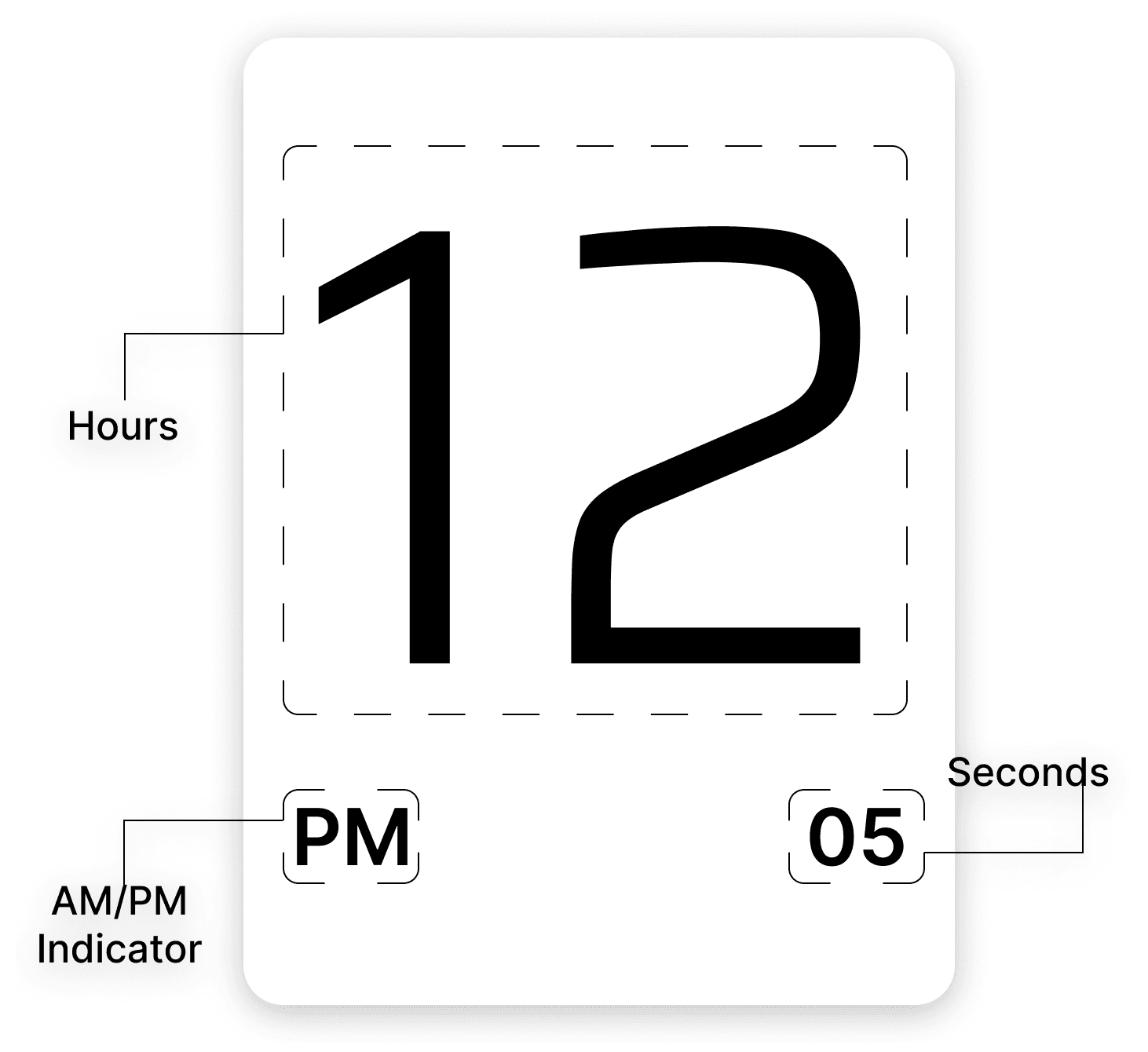
01Hours & Seconds
Hours
Big and bold hours quickly capture attention.
Seconds
A critical component that has to re-render at very short intervals.
AM/PM
An indicator that helps users tell morning from afternoon at a glance, especially around meetings or long work sessions.
What I Learned
Rendering hours and AM/PM is easy, but seconds needed deeper thought. A timeout works but creates glitches, while useEffect makes it behave exactly as it should.
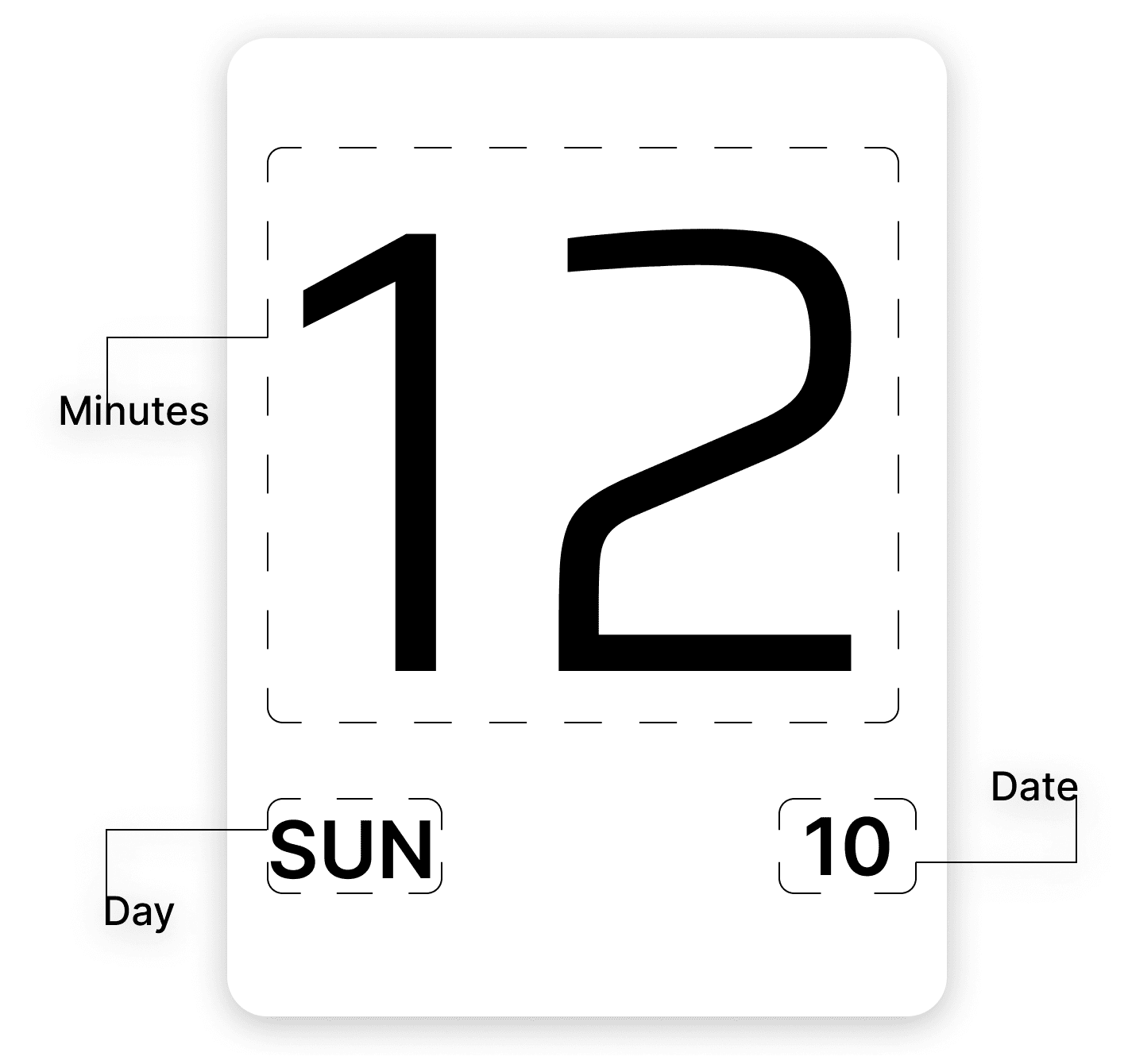
02Minutes, Day & Date
Minutes
Everything learned building seconds made this component quick to finish.
Day
A short day label so you never miss your weekend, and a unique touch.
Date
Only the day of the month, a more concise representation than the usual format.
What I Learned
The emphasis was on choosing the right aesthetic. Distinguishing the day and date visually makes the whole interface feel more streamlined.
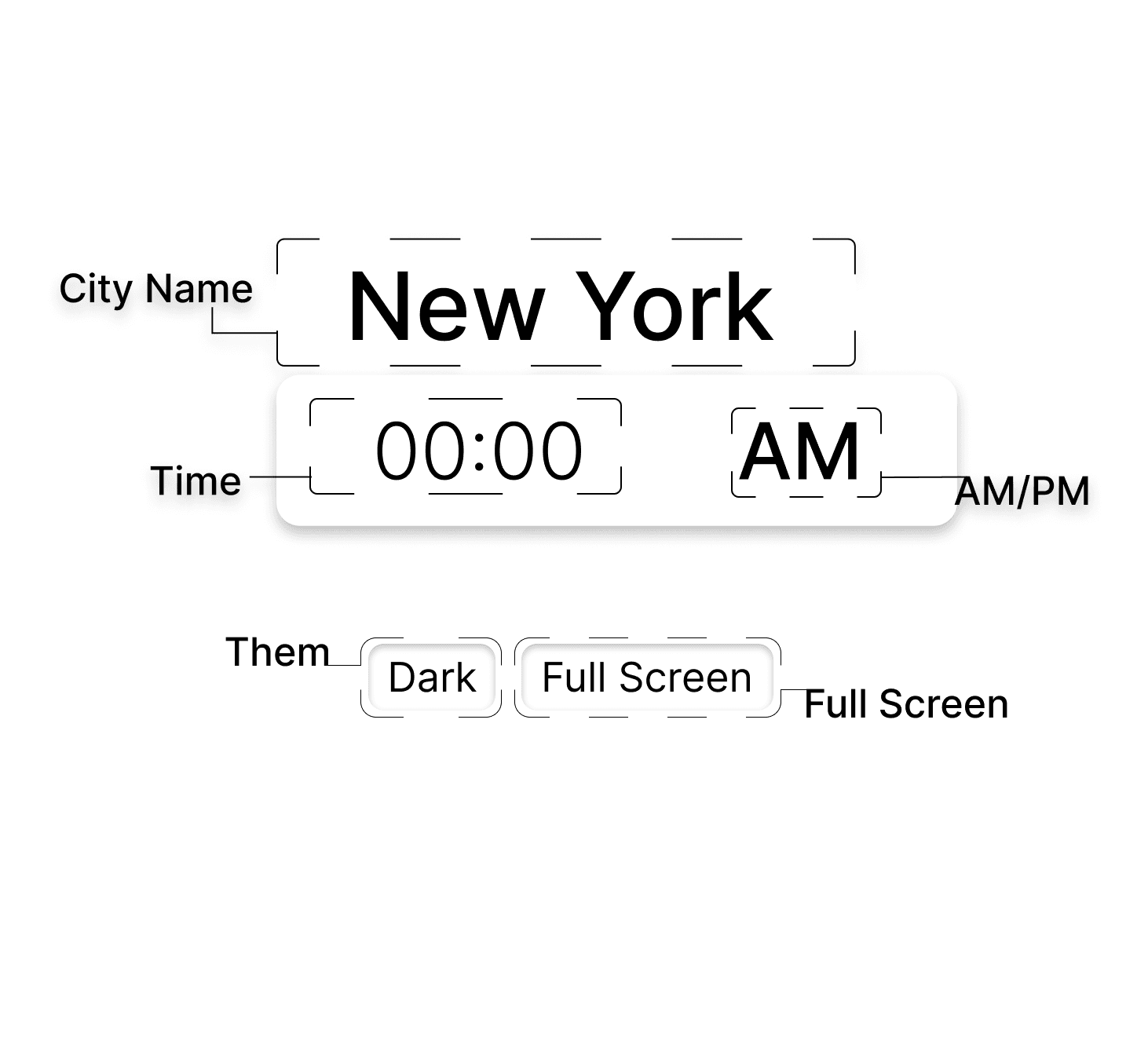
03Cities & Themes
City time
Shows local time for any city from its UTC offset. Add a city and everything updates.
Theme
Dark or light mode, so users can pick their preferred presentation.
Full screen
Maximises the display so Clocko can double as a screensaver.
What I Learned
Showing time across cities requires careful handling of UTC offsets. Themes and full screen taught me how small options make an app feel personal.
Like What You See?